
This Cold War Vulcan has quite the story.
I recently visit the National Museum of Flight.
Pictured here is the Avro Vulcan B.2 (XM597), currently resting peacefully at the National Museum of Flight in Scotland. Don’t let its tranquil museum setting fool you—this delta-wing beast is a decorated Falklands War veteran that once sparked a massive international incident.
During Operation Black Buck 6 in June 1982, its in-flight refueling probe snapped off over the Atlantic, leaving the crew stranded with zero chance of making it back to their base on Ascension Island.
With fuel tanks nearly bone-dry, the crew declared a Mayday and made a dramatic emergency landing in neutral Brazil, escorted by fighter jets. To make matters tenser, they landed with a top-secret American anti-radar missile still clamped to the wing.
The resulting diplomatic standoff lasted seven days before British diplomats successfully negotiated the return of the aircraft and crew, under the strict condition that it would never fly in the war again. It is an incredible piece of aviation history hiding out in the Scottish countryside!

The WhatsApp privacy switch governments secretly hope you don't find!
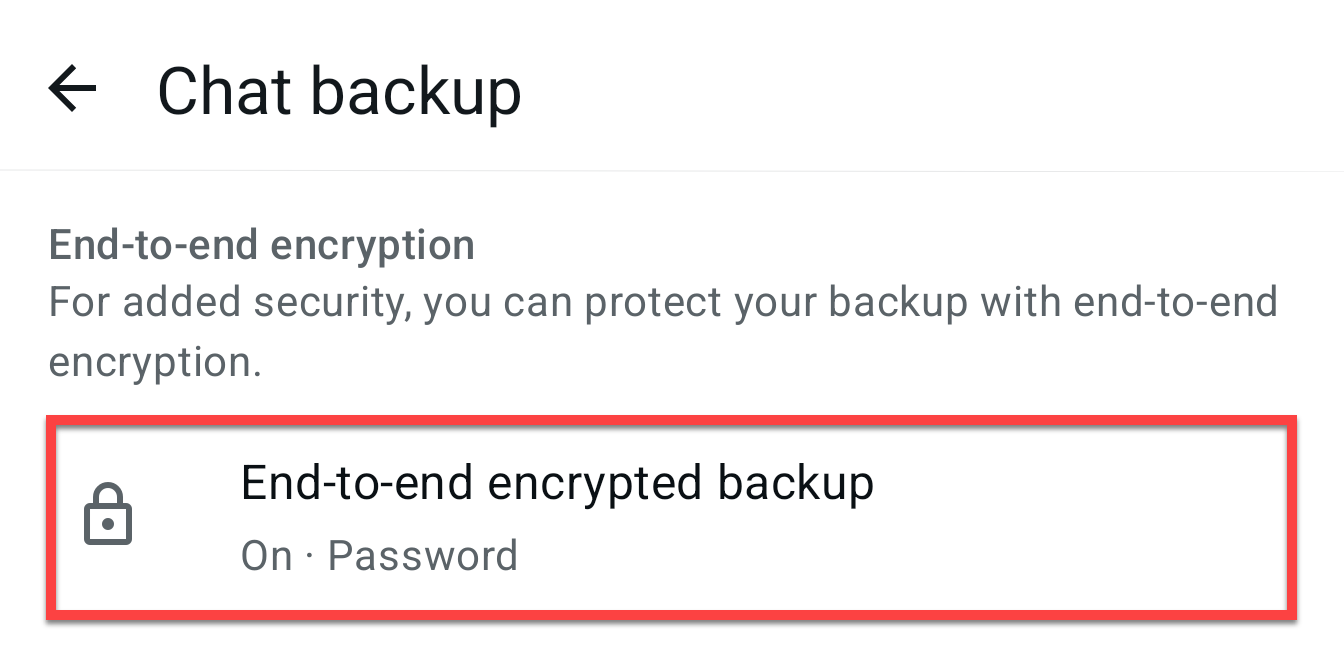
When you enable this switch, it prevents anyone from viewing your WhatsApp backups via your account. But it is not on by default!
Why is this important?
Typically, your WhatsApp chat backups aren’t stored on your phone. They’re normally stored in Google Drive or a similar service. That means a government could potentially request, in this example, that Google gives then unfettered access to your backup. Setting government requests aside, if the service you’re using to store your WhatsApp backups gets breached, those hackers can also view your messages.
So what is end-to-end encryption?
In simple terms, end-to-end encryption prevents anyone from reading your chat backups without your access key. The access key is a password or code you create when enabling this feature, and only someone with it can unlock and view your backup. With this switch disabled (as it is by default), if anyone gets their hands on your WhatsApp backup, they can read and view everything within it.
Now, you might be one of these people who says, “But I’ve got nothing to hide.” Right now, you might not have anything to hide, but maybe tomorrow you do. Either way, all those private conversations you’ve had with your contacts, they don’t expect the information they’ve shared with you to be accessible to anyone who can get their hands on your backup. It’s important that your contacts do the same - so that your messages in their backups are protected. The more people who have this feature enabled, the more privacy you and your contacts have.
So do the right thing. Protect your privacy by turning on end-to-end encryption for your WhatsApp backups. It’s simple, just follow these steps:
-
Open your WhatsApp app.
-
Tap ‘Settings’ (usually found by tapping the three dots in the top right corner on Android, or the menu at the bottom right on iPhone).
-
Select ‘Chats.’
-
Tap on ‘Chat backup.’
-
Look for the ‘End-to-end encrypted backup’ option and tap on it.
-
Tap ‘Turn On.’
-
Create a password or passphrase when prompted. Make sure to remember this password; you will need it to restore your backup in the future.
Once you’ve turned it on, your WhatsApp chat backups will be protected and only accessible with your access key. You’ll thank yourself for doing that in the future.
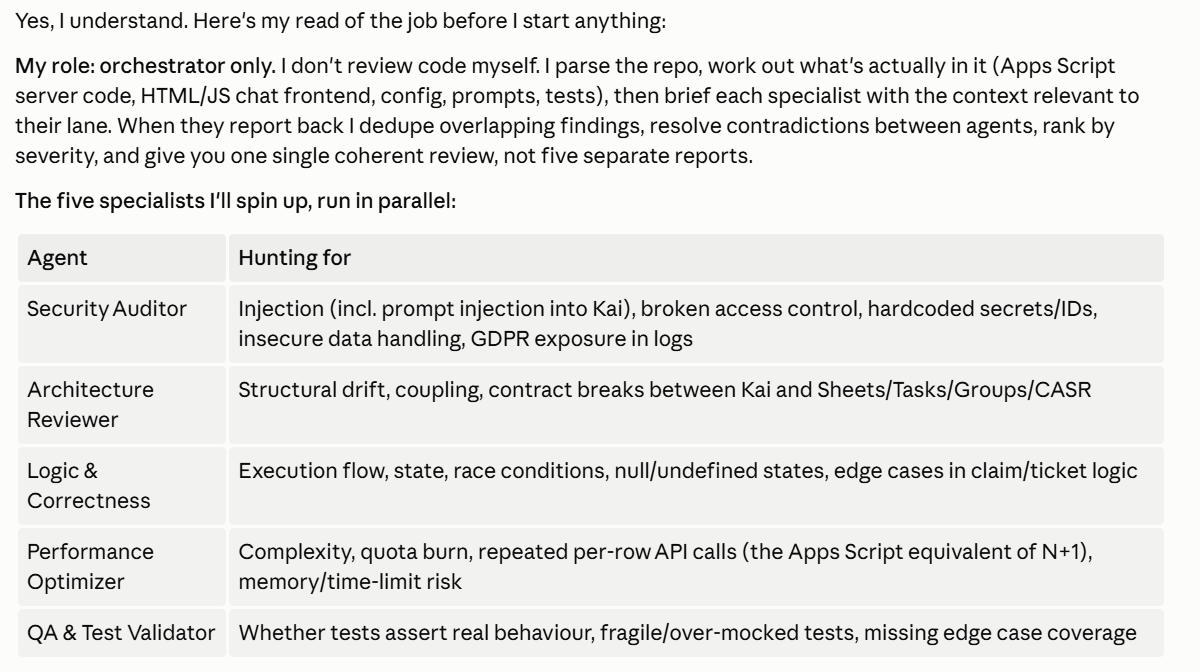
Many people vibe code; a tiny percentage have the code reviewed regularly.
Remember, AI won’t check any of this unless you tell it to.
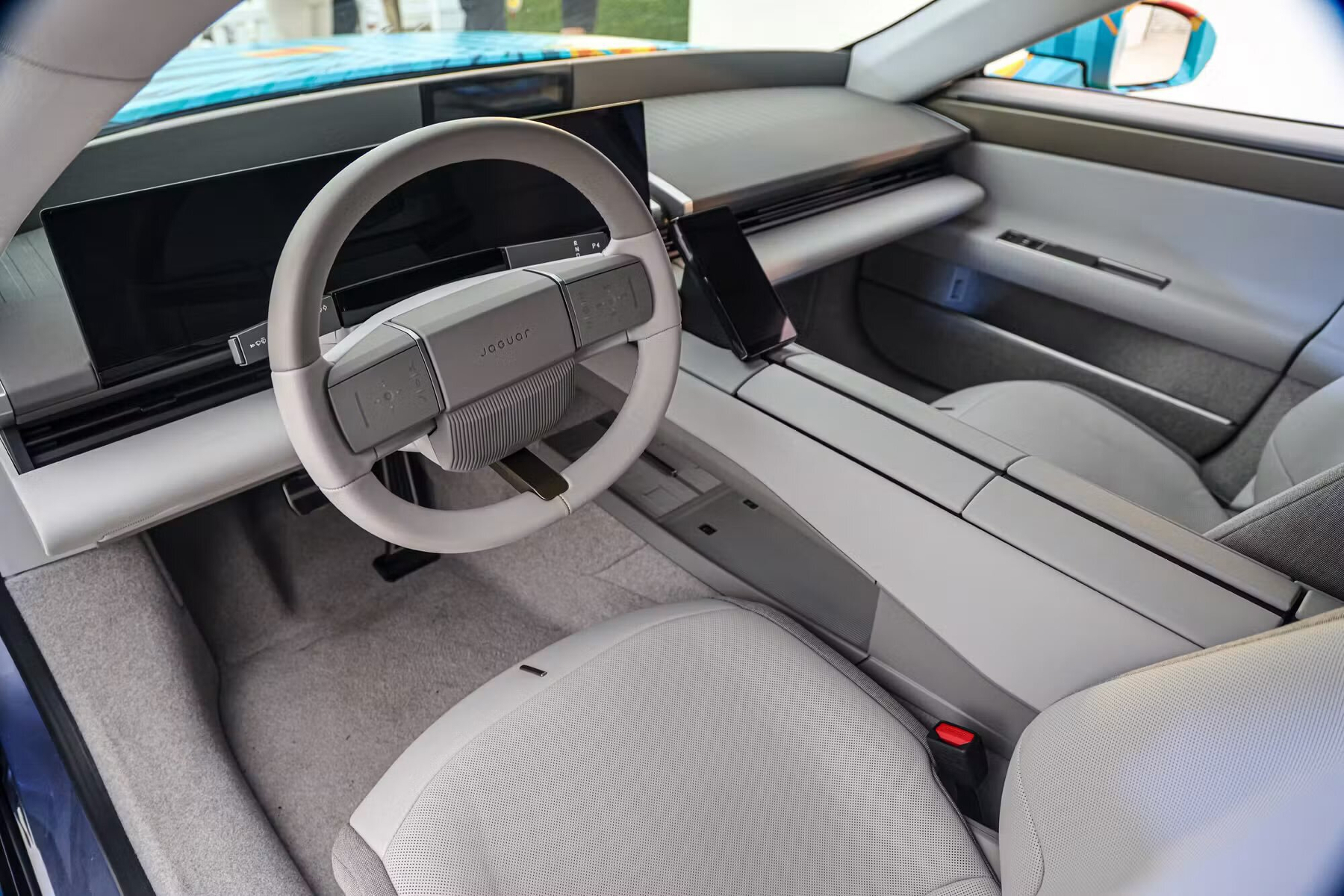
This interior, especially the driver’s steering wheel area, looks super dated. Like a 1980s concept car: predicting what cars will look like in the 1990s/2000s. But apparently it’s the production interior of the new Jaguar.
For me, this isn’t the best time for GitHub to have a global outage, as I really want to update some code in a repository, but can’t.
I don’t have a problem with Tesla opening the Supercharger network to other car brands. It was really handy when I had a Polestar, but Polestar has its charge port in the same place as a Tesla. Cars where the charge port is in a position that means it will take up two stands should be blocked.
Is your email compliance footer legit? Or could you be fined £1k?
Last week, a client contacted me because they are redesigning their email compliance footer.
They wanted to know exactly what should be included in an email compliance footer. It was a great question. I didn’t know the answer, so I did some research.
First off, the compliance footer isn’t your email signature. It’s the bit that goes underneath. Normally, it’s the part that says things such as:
-
Delete the email if you’re not the intended recipient…
-
Views are solely those of the author…
-
We accept no liability for any damage caused by viruses…
I was already aware that these have no legal standing and are absolutely unnecessary on any email compliance footer.
What I didn’t know is that there is up to a £1,000 fine if the following information is missing from your compliance footer if you run a limited business:
-
Your company’s full registered name
-
The part of the UK where you are registered
-
Your company number
-
And your registered address
So for Kimbley IT, it looks like this:
Kimbley IT Limited | Registered in England & Wales # 07780759 | Registered Office: Kimbley IT Limited, The Moseley Exchange, 149-153 Alcester Road, Birmingham, B13 8JP
And that’s all you actually need in your email compliance footer.
The best way to see what is in your email compliance footer is to send yourself an email to your personal email account and see what appears.
If you’re not seeing the compliance footer, and you’re a Kimbley IT client, we can add it to all your emails via a compliance footer feature built into Google Workspace.
If you want to learn more about this topic, here’s a much more detailed blog post I wrote on compliance footers, based on my research.
A fascinating talk at Black Hat 2026 about the OpenAI and Hugging Face hacking incident, with insight into the AI agents' chain of thought.
How to check your SPF, DKIM, and DMARC are set up correctly in Google Workspace
Are you using Google Workspace? Did you self-deploy? If so, you’ve likely missed some settings, which is likely putting the emails you send into spam.
Don’t worry, this is incredibly common. I see this pretty much in every business that has set up Google Workspace on its own.
SPF, DKIM, and DMARC can look scary and complicated, so it makes sense that you’d skip them. But missing them doesn’t stop you from sending emails; it’s just that those emails are more likely to end up in spam.
So we’ve made a free Google Workspace email security check tool you can use to check that your Google Workspace email is set up correctly.
If you have a problem, it will take you to a free guide on how to fix it. No sign-in required, no email address needed to be given.
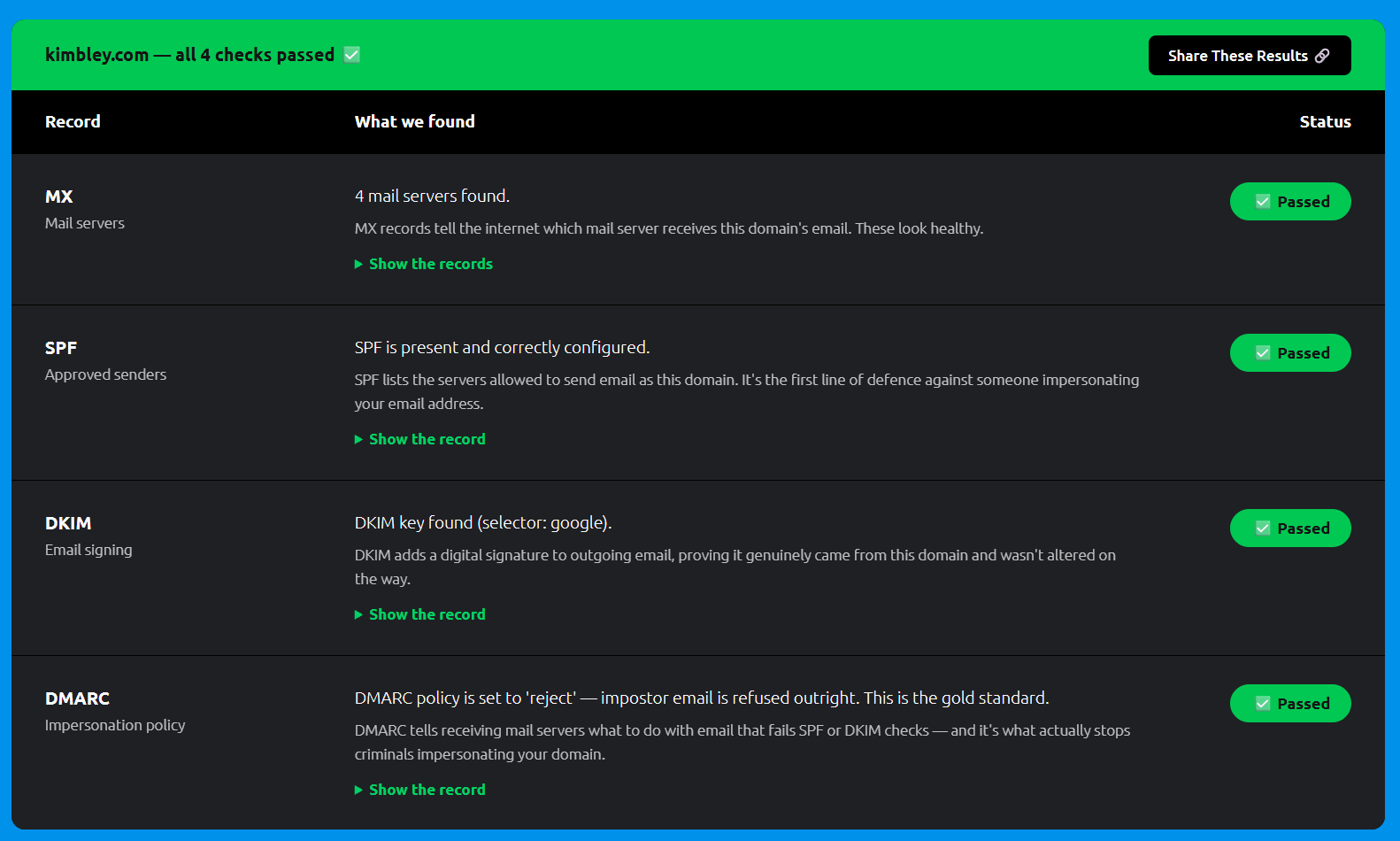
Once you’ve got everything set up, you should get a result like the one below in the screenshot with green ticks throughout.
And if you haven’t got time to fix the problem, or it still seems a bit too complicated and tricky, no worries, just book a video call with me.
I didn’t ask for this. Nicky sent it over unprompted, which makes it worth more than anything I’d have written myself:
We have been working with Kimbley IT for the past three years. They specialise in IT assistance and support for companies that use Google Workspace, and The PR Network is a Google business.
The service provided by James, Kyle and the team is phenomenal. They help with all aspects of our set up as a remote-first company in terms of service and support. They also go way above and beyond to make sure that we are optimising our Workspace subscription.
It’s imperative that we are using all the AI functionality to be as efficient and productive as possible. Kimbley provides loads of learning and training, support and hints and tips to keep us ahead of the curve.
They really are the perfect IT partner and I recommend them without hesitation!
Nicky Regazzoni, co-CEO, The PR Network
Thanks, Nicky, for the amazing words and feedback!